终端命令行
brew包管理工具
- brew mac下的神器,类似linux的包管理工具,可以通过brew安装各种软件。
vector@vectordeMacBook-Pro ~ brew -h
Example usage:
brew search [TEXT|/REGEX/] // 查找软件
brew info [FORMULA...] // 软件包信息
brew install FORMULA... // 安装
brew update // 更新
brew upgrade [FORMULA...] // 更新指定包
brew uninstall FORMULA... // 卸载
brew list [FORMULA...] // 已安装列表
Troubleshooting:
brew config
brew doctor
brew install --verbose --debug FORMULA
Contributing:
brew create [URL [--no-fetch]]
brew edit [FORMULA...]
Further help:
brew commands
brew help [COMMAND]
man brew
https://docs.brew.sh
iterm2 + oh-my-zsh + powerline
- 安装 iterm2
- 安装zsh并切换到zsh
brew install zsh
chsh -s /bin/zsh
- 安装antigen, oh-my-zsh插件管理工具, 编辑~/.zshrc文件
source ~/antigen.zsh #改成你的antigen安装路径

# Load the oh-my-zsh's library.
antigen use oh-my-zsh

# Bundles from the default repo (robbyrussell's oh-my-zsh).
# oh-my-zsh 的一些常用插件
antigen bundle git
antigen bundle heroku
antigen bundle pip
antigen bundle lein
antigen bundle command-not-found

# Syntax highlighting bundle.
antigen bundle zsh-users/zsh-syntax-highlighting
# 自动联想历史命令
antigen bundle zsh-users/zsh-autosuggestions

# 主题
antigen theme agnoster

# Tell Antigen that you're done.
antigen apply
- 安装powerline字体
- 修改iTerm2配置
- 打开
iTerm2->Preferences->Profiles-Colors配置主题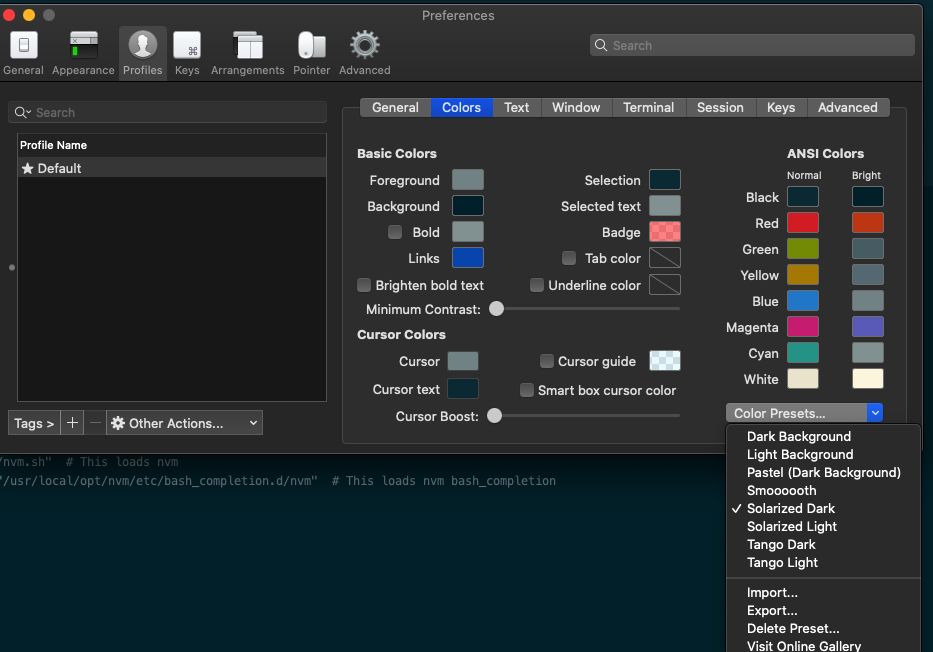
- 打开
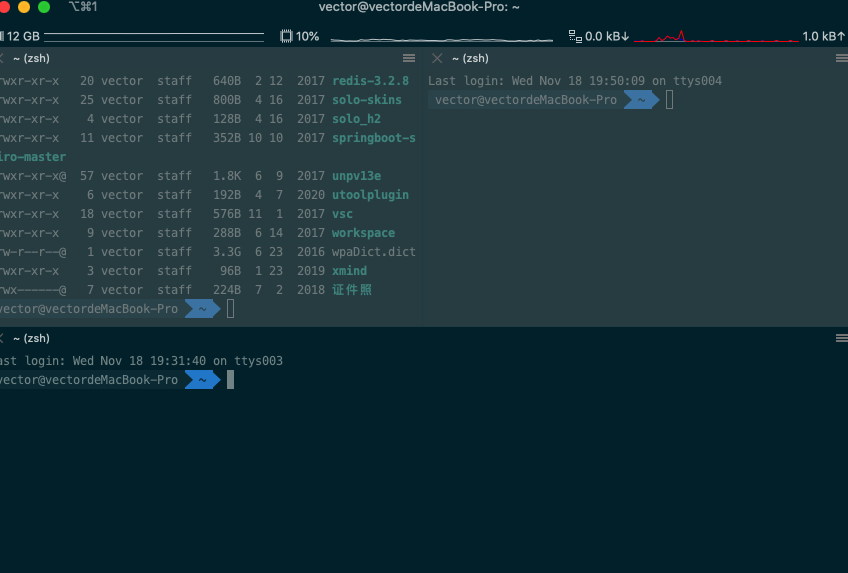
iTerm2->Preferences->Profiles-Text配置字体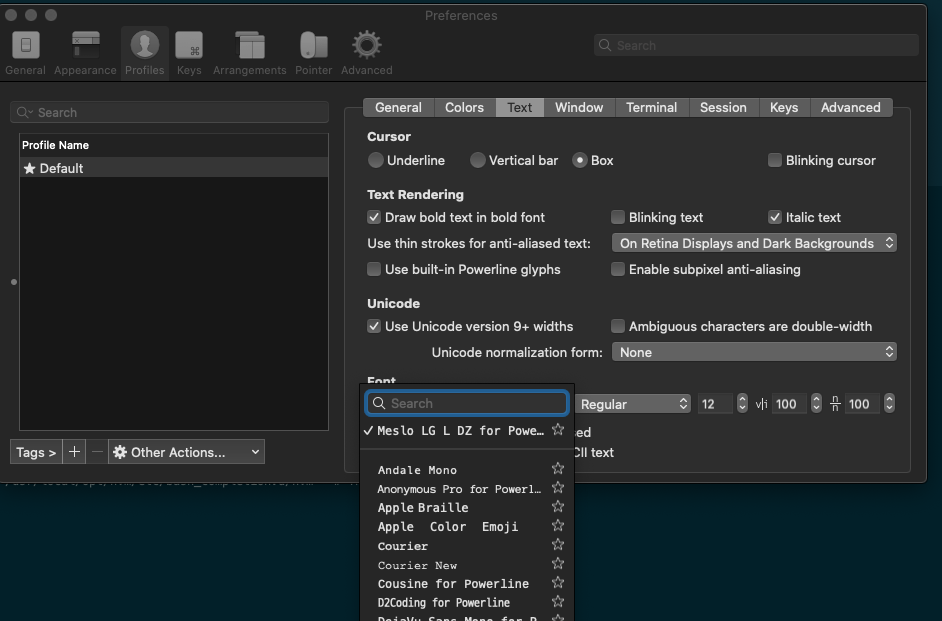 最终效果如下
- 打开
根目录下创建目录
在/etc目录下使用root权限创建编辑synthetic.conf,添加想创建的目录, 如下home和后面的路径之间用tab符分隔,不能用空格,然后重启,这种方式会在/(根目录)下创建一个home目录软连接到/Users/xxx/data目录。可以直接通过cd /home 进入该目录。通过这种方式可以解决在根目录下创建文件无权限问题。
home /Users/xxx/data
安装tree命令
linux下是自带tree命令,可以用来查看文件目录结构,mac下需要手动安装
brew install tree
// 显示前n级目录
tree -L 加数字
卸载锁定app
执行以下命令,解除锁定后可以正常卸载
ls -dleO@ /Applications/xxx
sudo chflags -R noschg /Applications/xxx
启动项
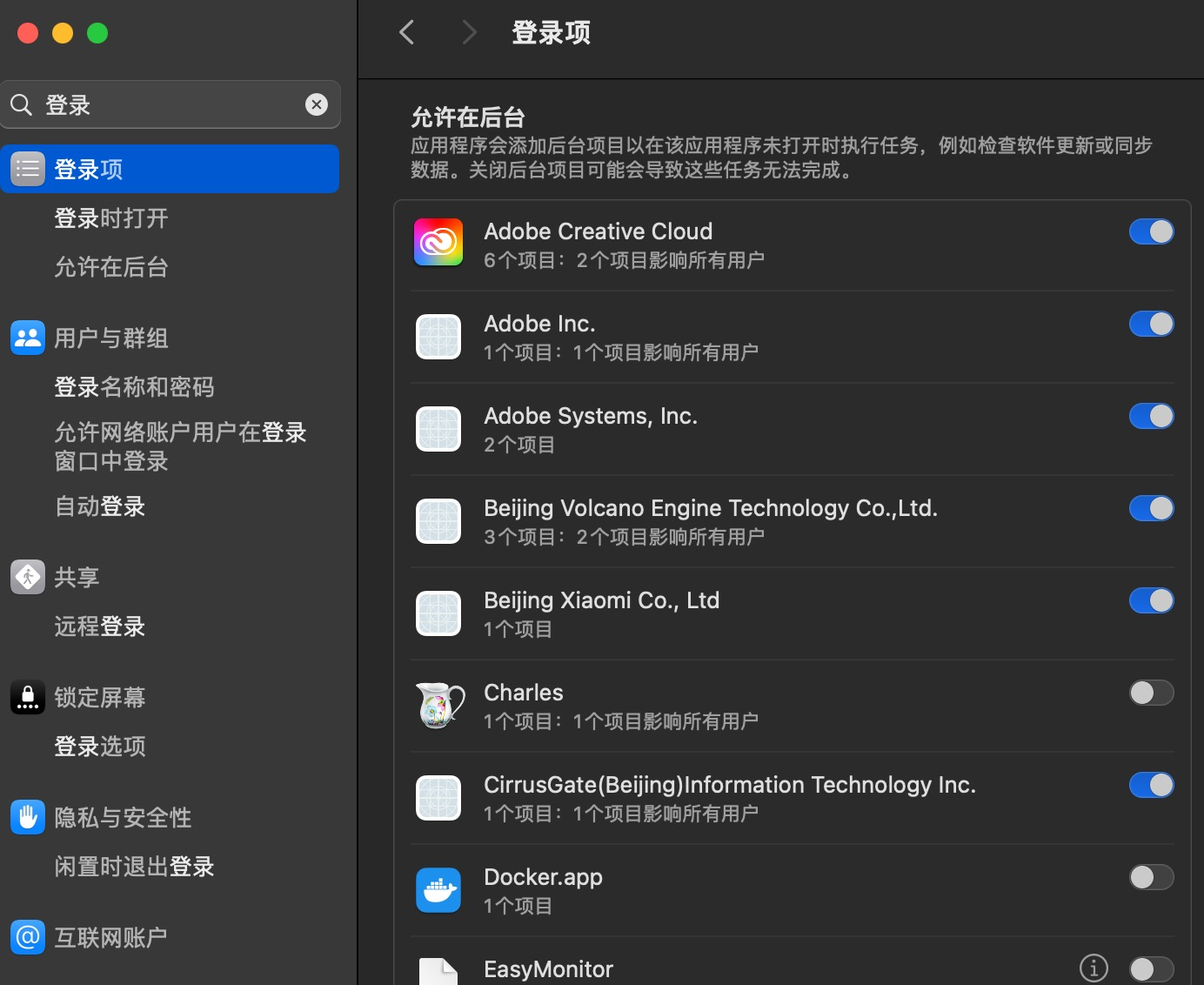
- 通过系统设置-〉登录项查看
- 使用launchctl命令查看
# 查看用户级启动项
launchctl list
以上方式只能看到一部分,如过想看更加详细的启动项配置,可以到下面这些目录查看:
// 用户级别启动项目
ls ~/Library/LaunchAgents
// 系统级
ls /Library/LaunchAgents
ls /Library/LaunchDaemons